It’s a free iOS and Android app on ancient Maya language and culture.
New in the 2.0 release is the Decode Text feature. It’s built on material from Dr Alexandre Toknovinine’s Beginner’s Visual Catalog of Maya Hieroglyphs. I’m very grateful for his permission to use this material in the app! Here’s an 8 minute YouTube video showing this feature in action. And below are some screen shots and text description.

The above screen shot is the app’s home screen and now it has “Decode Text”. From it you can get to screens with over 600 glyphs, all categorized and with definitions. To decode a glyph block “simply” identify each individual glyph. They are divided into may categories so it’s easier to locate the one you’re looking for.

When you click on a category, you get a scrollable list. For example, if you click on the “Hands” menu you get:

When you find a match, click on the glyph to get a bigger image and some meta data. Here’s that happening on list of Compound Signs:

As you identify glyphs and add them to the clipboard, they show up on the Decode Text Home Screen. In the example below, we decoded a glyph block that held three glyphs. The three decoded glyphs form o-to-ti, which is the Mayan word “otot” which means house.

Currently the app doesn’t have a dictionary and that’s a problem. With the app you can generate what the word sounds like in ancient Mayan but you need a dictionary to convert the Mayan word to an English word. Fortunately, mesoweb has many online resources including nice dictionary. If you need a more complete dictionary, John Montgomery’s is very good. That’s what’s new in the 2.0 release. In another post I talk about the earlier features in the app.
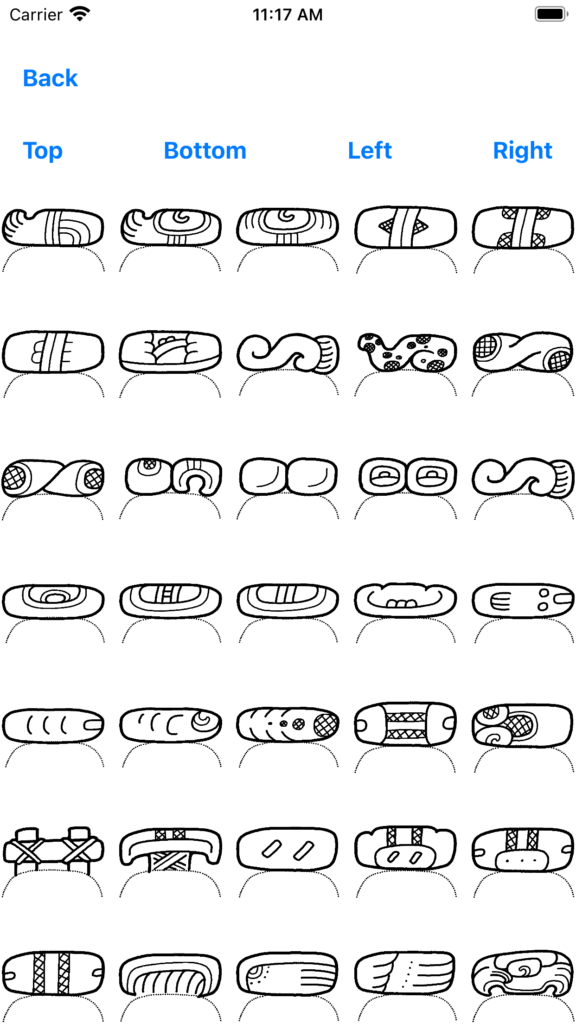
For those especially interested in decoding glyphs blocks, here’s some bonus material on affixes/prefix symbols. Most affixes can appear on any side of a main glyph (the top, bottom, left or right). When decoding a glyph block you typically must find for a specific affix glyph from a list in a printed catalog. Naturally, the catalog only prints the glyphs with in one rotation. If glyph you’re looking for isn’t in that rotation, your job is a little harder. If you’re new to reading these glyphs, perhaps more than a little harder. To complicate this even more, some affix glyphs are not rotatable. These glyphs only appear in a single orientation. Some glyphs are only top, some only bottom, some only left and at least one only left or right. With the Ancient Maya App you don’t worry about any of this. From the Decode Text home, when you click on Affix you get the affix glyphs. There are also button across the top to select orientation. The default orientation for affix glyphs is “Top”, it displays all rotatable glyphs as top glyphs as well as all non-rotatable glyphs that have a top orientation. If you’re looking for a left, right or bottom affix glyph just hit the desired orientation button and all the relevant glyphs are displayed in the proper orientation. Yay!